VOICE SELECT
An app for hearing aid users to select relevant voices in group settings
Field
Application Design
Team
Malte Fial & me
Contribution
Research, Ideation, Concept, Visual Design, User-Testing
Context
degree project
Duration
four months
Year
2025
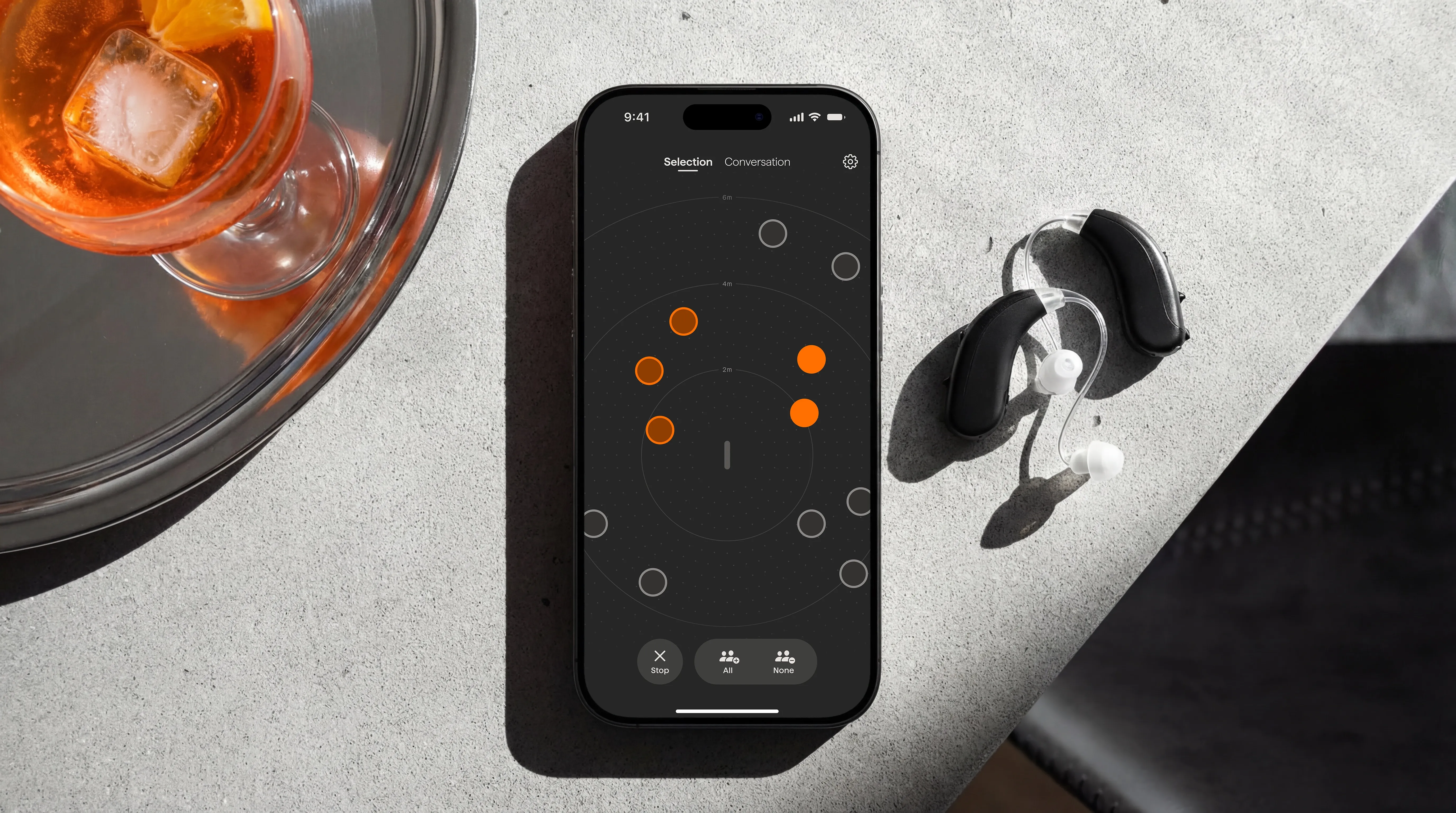
Voice Select is a smartphone app that enhances group conversations for hearing aid users by enabling precise selection and adjustment of voices. It preserves user autonomy without relying on stigmatizing assistive technologies and makes participation in everyday social contexts more accessible.
Problem
Through interviews with hearing aid users, medical professionals, and audiologists, we found that social participation was consistently described as the most important, and most compromised, aspect of daily life.
Group conversations remain one of the most demanding situations for people with hearing impairments. Existing hearing aids often amplify all voices equally or prioritize based on proximity, which rarely matches the dynamics of real discussions. Important partners may fade into the background, irrelevant voices dominate, and conversations become stressful. As a result, users described pretending to follow discussions they had lost track of, or withdrawing from group settings entirely to avoid the exhaustion.
Concept Development
We explored a wide range of methods, from workshops and ideation techniques to iterative prototyping and testing with users. Out of this process, two key stages shaped the final concept.
Identifying the Principle
We began with four prototypes that addressed different strategies for group conversations: transcription of speech, visual indicators of the current speaker, a physical turn-taking token, and manual voice selection. Tests with proxy users and reviews with hearing aid users showed that manual voice selection offered the greatest potential. Other concepts disrupted the group's social dynamics, while manual voice selection improved comprehension without changing the natural flow of conversation.

Exploring Modalities
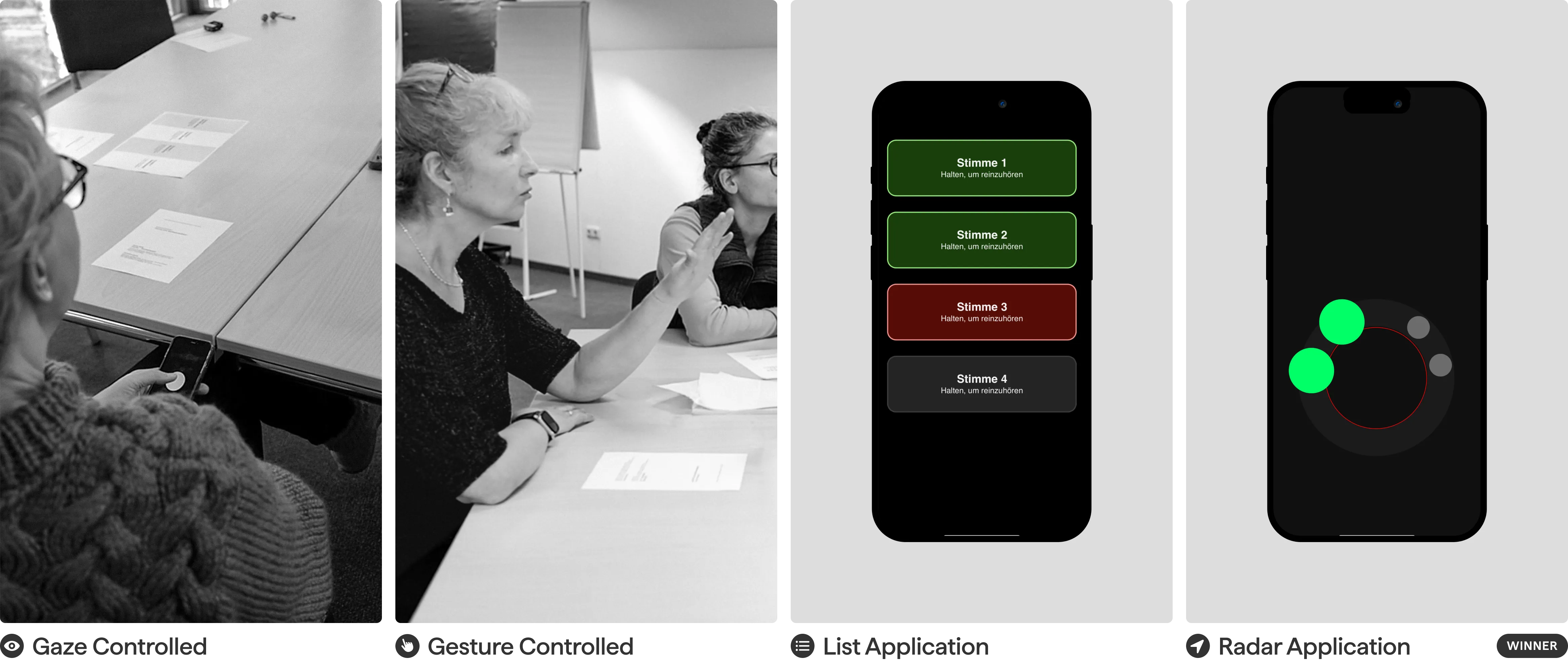
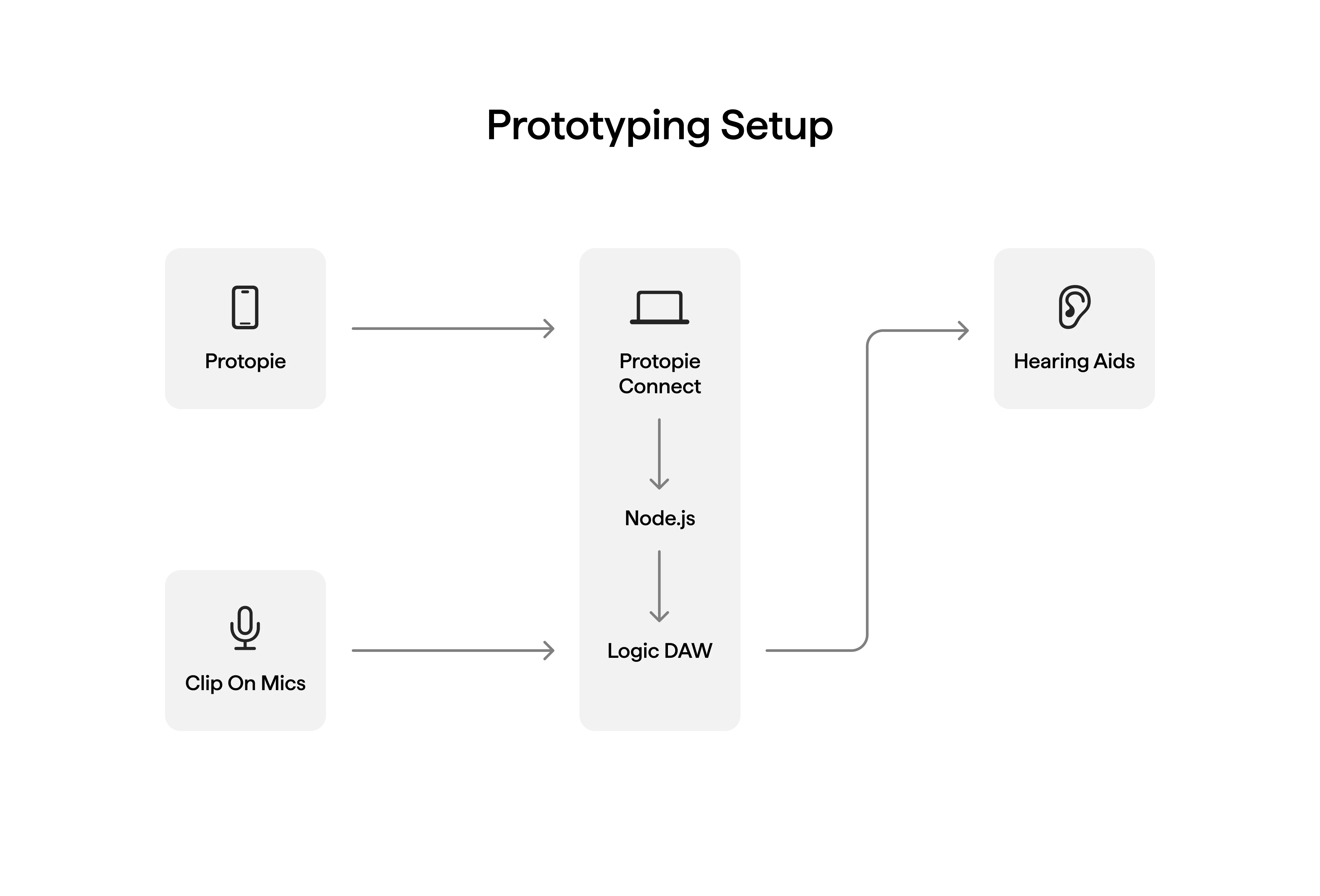
With manual voice selection as the guiding principle, we explored how to implement it effectively. We prototyped a list interface with swipe gestures, a radar-like spatial arrangement, gaze-based input, and hand gesture control. These prototypes were tested first in Wizard-of-Oz setups and later in a rehabilitation clinic, where they were directly connected to participants’ hearing aids. The results highlighted three key insights: visual feedback is essential to build trust, smartphone-based control works well if it remains discreet, and the radar interface proved most effective due to its intuitive spatial mapping of voices.
Solution
Voice Select builds on the ability of modern hearing aids to locate and separate voices in the user's environment. The app translates this spatial information into a simplified visual interface, allowing users to actively control which voices they hear.
Three States
Voice Select assigns every detected voice to one of three states. Focus amplifies a voice to full volume for active listening. Subtle keeps it audible but quieter, allowing users to stay aware of side conversations without being overwhelmed. Ambient blends a voice into the background noise, effectively filtering it out.
Choosing Who to Hear
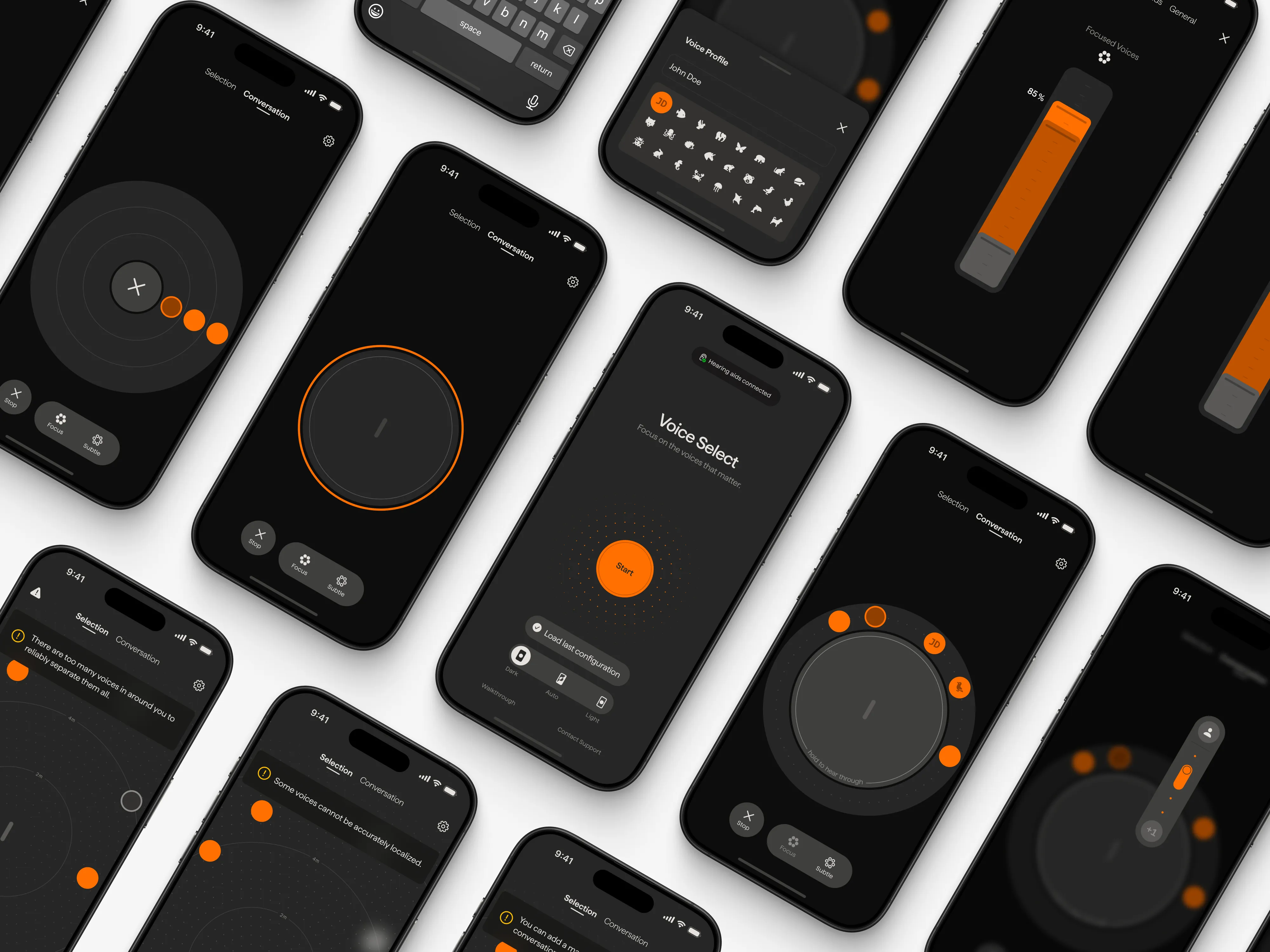
The app operates in two modes. Selection Mode shows all detected voices on a spatial map reflecting their real position. Tapping a voice sets it to Focus and includes it in the conversation. Conversation Mode displays only the selected voices on a ring, bringing them all within reach and reducing complexity. Each voice can be toggled between Focus and Subtle.
Quick Access to All Voices
When someone outside the configured conversation speaks to the user, holding the Hear Through button temporarily makes all surrounding voices audible. Releasing it restores the previous setup.
Configuration
A long press on any voice opens finetuning controls to boost or reduce it beyond the default levels. These adjustments can be saved as voice profiles, so the system applies them automatically next time. The base volume levels for Focus, Subtle and Ambient can be adjusted in the settings using a stacked slider. Voice Select can be stopped at any point with a swipe, returning the hearing aids to their default behavior.
Design Details
The interface went through extensive iteration to arrive at a visual system that carefully balances an unobtrusive and discrete UI with providing all necessary information.
Validation
We tested our prototypes at a hearing rehabilitation clinic, connecting them directly to participants' hearing aids. It was the first time any of them could manually select and control individual voices through their devices, and the effect was striking. Participants reported less listening effort and greater autonomy, and even typically reserved people became noticeably more engaged in discussions. A final testing confirmed that the core interactions felt intuitive and novel.
Conclusion
At the start of the project, we explored directions like Augmented Reality and gesture control, and asking people to look at their smartphone during a conversation felt like the worst approach we could take. By letting the process and our users lead the way, we ended up exactly there, and it turned out to be a great solution. Beyond hearing aids, the concept could also be relevant for regular headphone users or people who struggle to focus on voices, such as individuals with ADHD. What stayed with us most was the reaction of our test participants. Working on something that people genuinely wanted to see become real made this project deeply rewarding.

NEXT PROJECT BELOW
UNIS
A preventive home security system for families
Field
Interface Design
Team
Siri Müller, Anjuli Acharya, Xingyu Liu, me
Contribution
Ideation, Concept, Visual Design, Sound Design
Context
Exchange semester at Umeå Institute of Design
Duration
2,5 weeks
Year
2024


Unis is a home security system catered towards families with children. It monitors and notifies users about potential hazards as they prepare to leave the home.
Objective
The project aims to turn home security into a proactive measure. Unlike traditional alarms, Unis doesn't react to ongoing incidents but instead prevents potential dangers. In doing so, it also assists parents in teaching their children about responsibility when they are at home alone.